Mobile Surveillance Trailer — Specs & Platform
Last reviewed: May 2026 · Units deployed across Pierce, King, Snohomish, and Kitsap counties.
Our trailers are specifically designed and manufactured for year-round deployment in the Pacific Northwest climate. Built to withstand the rain, salt air, and freezing temperatures that defeat most outdoor electronics, every unit ships with a weatherproof, vandal-resistant enclosure and the software platform documented below.
New for 2026
Vigil AI Alert Triage
Multi-model AI runs against live trailer footage. Edge inference on Apple Silicon classifies every interesting frame; cloud LLMs review the ambiguous ones; an autonomous Surveillance Agent suppresses the noise.
Edge inference
Local Apple Silicon (MLX)
A Qwen3.5-9B 6-bit vision-language model runs on-device for first-pass classification — under a second per frame, no cloud round-trip, no surveillance footage leaves your network unless it needs to escalate.
Cloud escalation
Claude Sonnet & Gemini
Ambiguous or higher-severity events escalate to cloud LLMs for visual review of 3–4 surrounding frames. Each call's latency and cost are recorded on the alert — tuning escalation thresholds is a tracked, auditable decision.
Autonomous triage
Surveillance Agent
A two-tier agent reads patterns of confirmations and false positives, auto-tunes per-camera silence rules with a 24h time-to-live, and re-checks its own decisions on the next cycle — so noise gets quieter without burying the signal.
Real Vigil alerts (deployed Puget Sound trailers, 2026)
Click any image to open full resolution. Every alert below fired on a live deployed camera; descriptions are the AI-generated text Vigil delivered to the on-call responder.
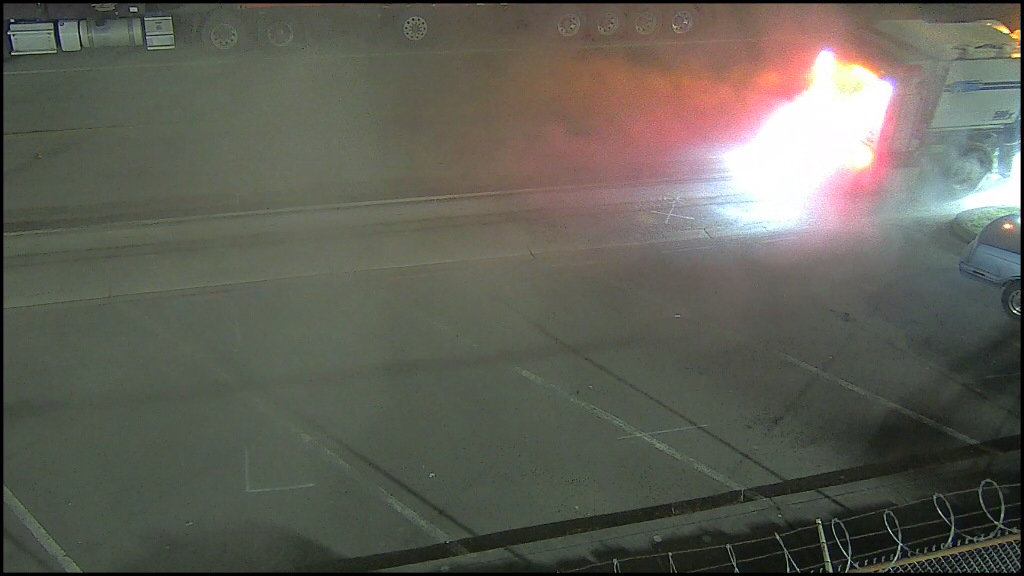
Truck fully engulfed in intense flames in a parking lot at night — dramatic, high-impact fire event. Escalated S4 → S5.
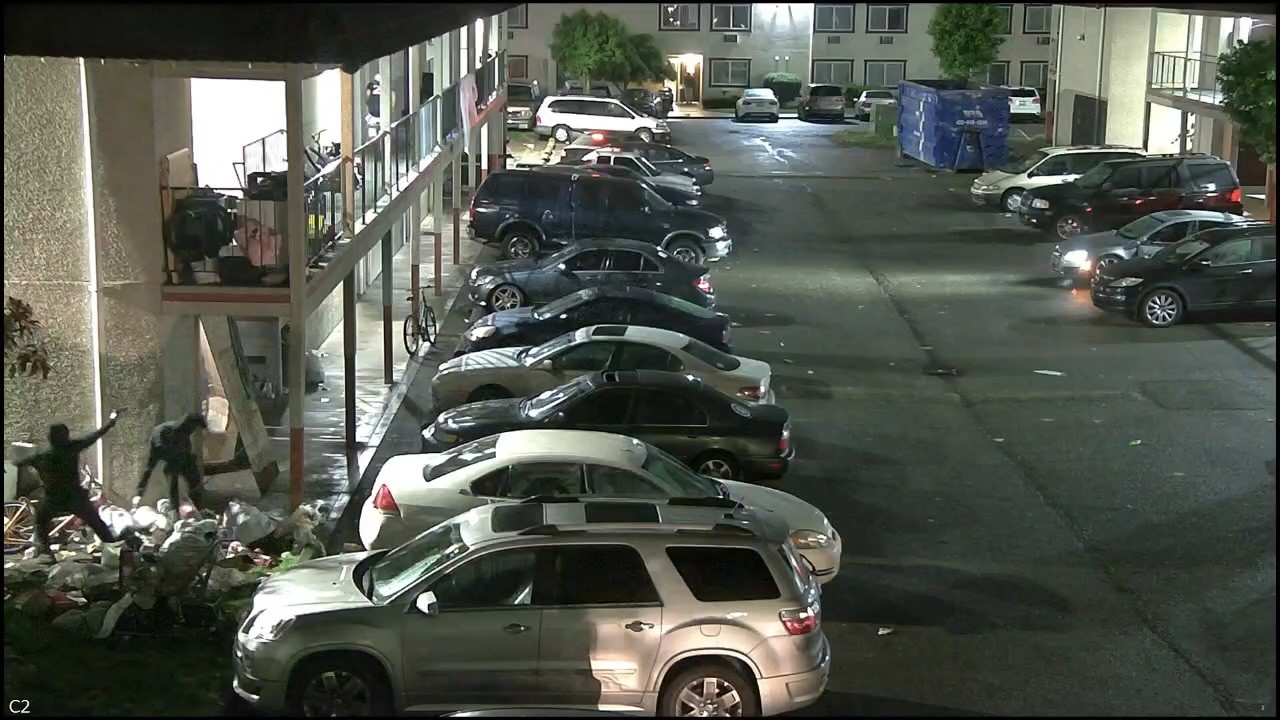
Two individuals visible — one appears to be pointing a firearm at the other in a confrontational manner. Escalated S3 → S5.
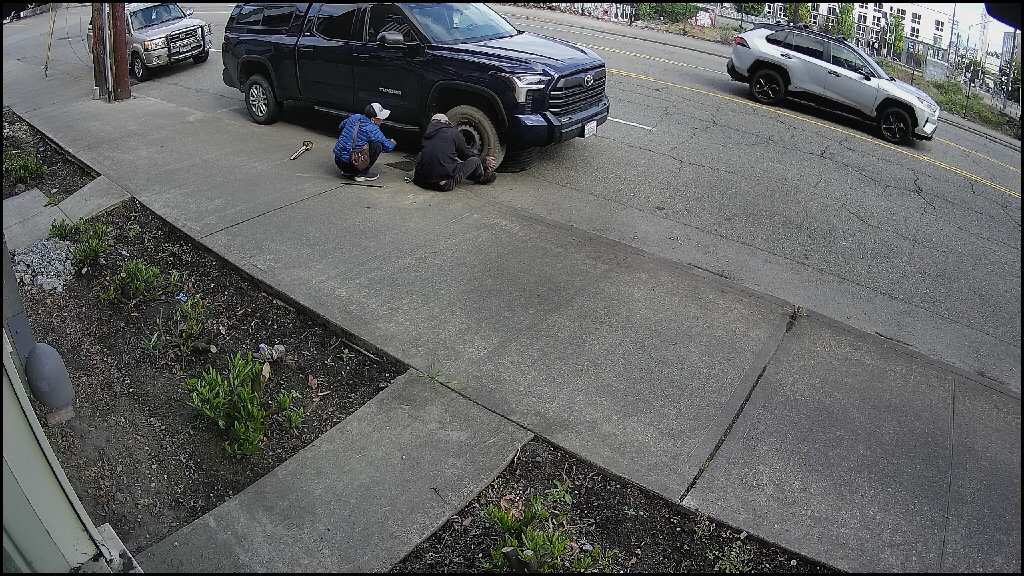
Two people crouched at front wheel of parked pickup on public sidewalk — classic lug-nut/wheel theft posture.
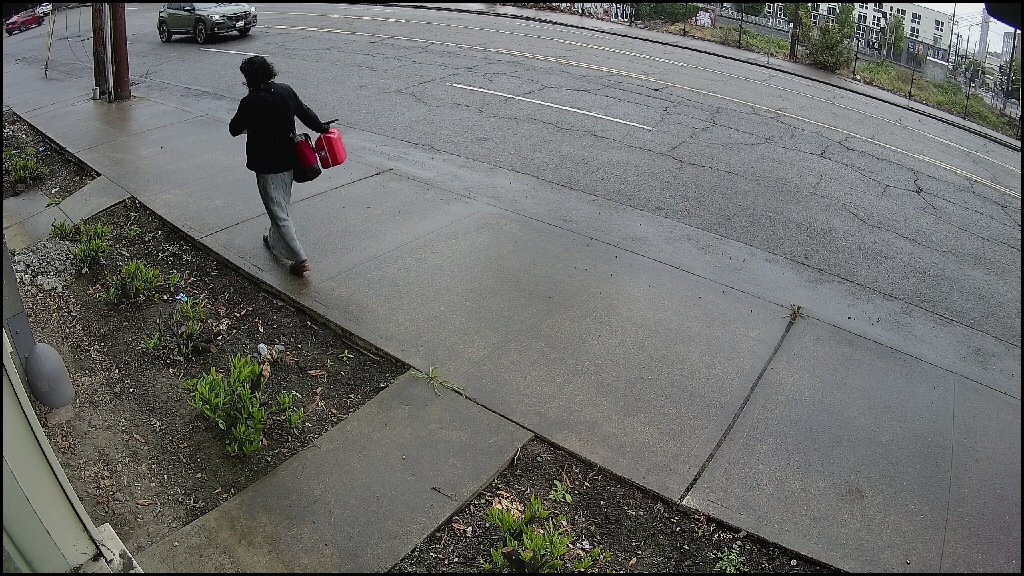
Person openly carrying two red gas canisters on a public sidewalk — visually striking and alarming public-safety scene.
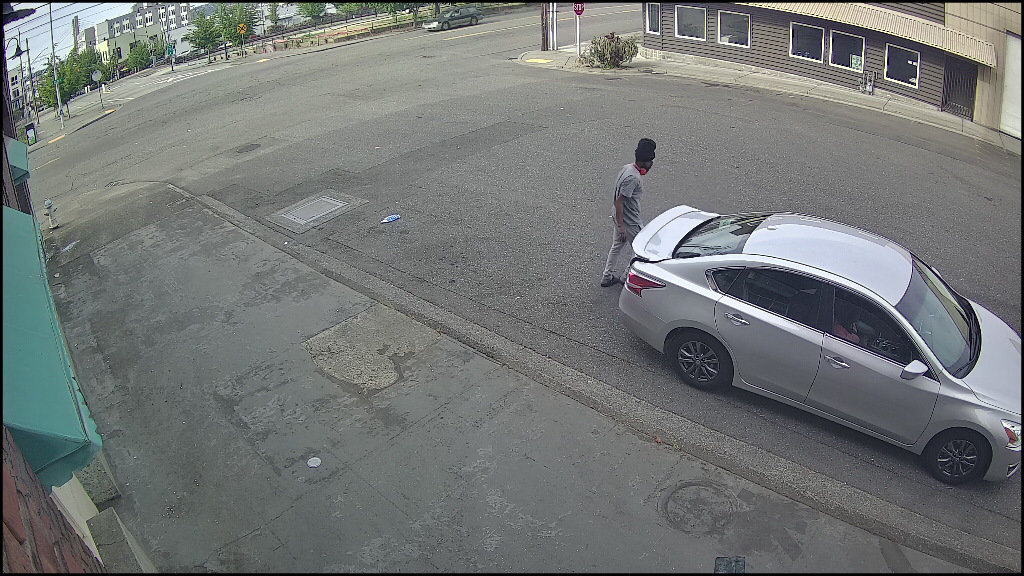
Masked subject leaning over silver sedan's hood/windshield in an off-hours parking lot — suspicious posture and face covering confirmed.
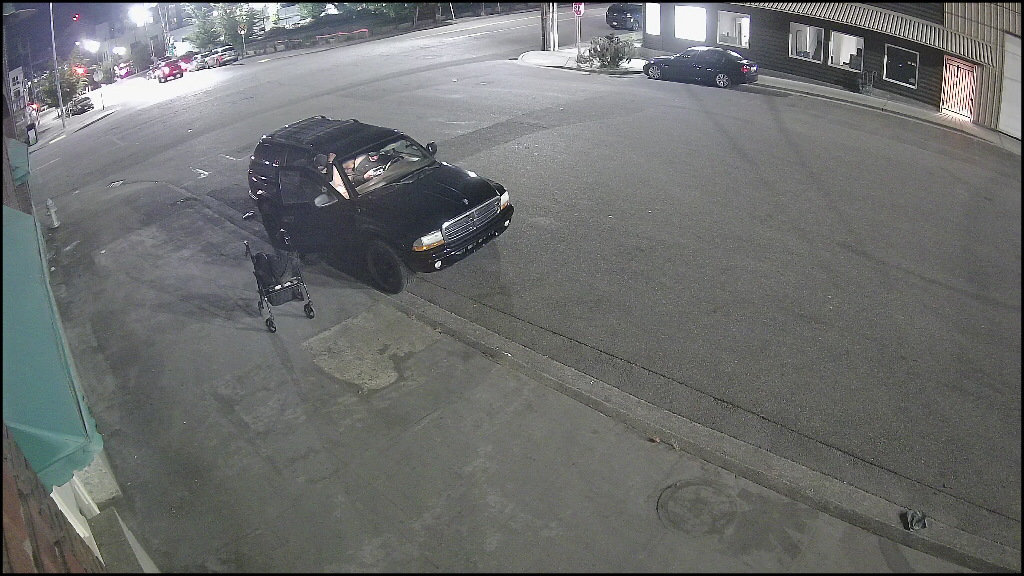
Abandoned mobility walker beside an open SUV door in an empty lot at night — unusual welfare-concern pairing.
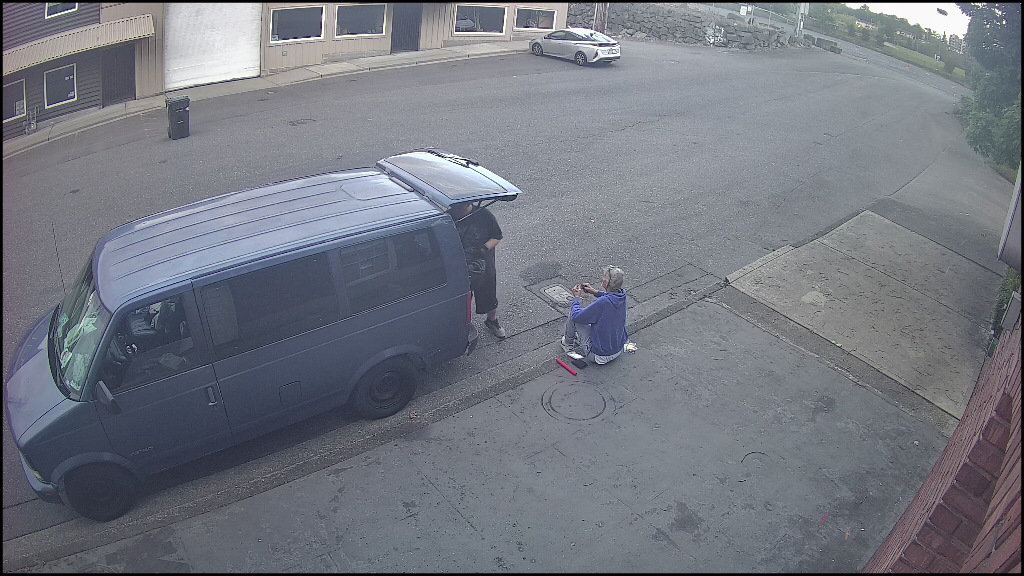
Two individuals at a blue van with rear door open in off-hours parking lot — unusual for the site's profile, flagged for monitoring.
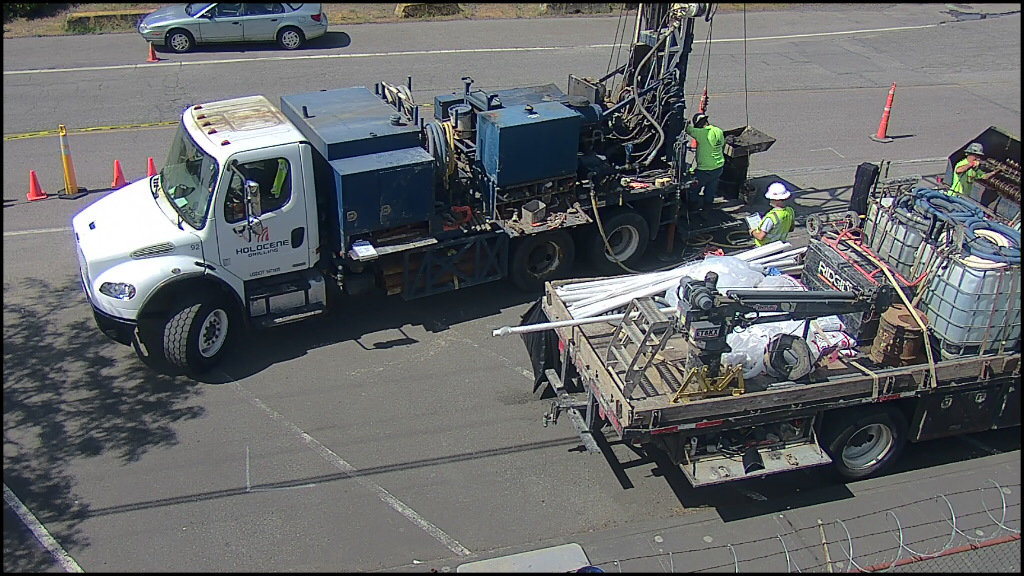
Workers in high-visibility vests operating drilling equipment in commercial parking lot — planned construction activity, no notification sent.
Live as of · 21 cameras · 4 analyzers · Vigil v0.13
Video technology
FDC — Flexible Delta Compression
The trailers do not run H.264 or H.265. They run FDC, S-VIDIA's proprietary codec, paired with motion-triggered recording — engineered to outperform the security industry's standard codecs on storage, image quality, and evidence integrity.
Up to 60%
less recording space than conventional H.264 / H.265 systems
S-VIDIA published figure for the FDC platform · site-specific Puget Sound fleet measurements below
How it records
Background + foreground, separated
FDC records the background of a scene as a static image; the foreground captures only motion. The frame is divided into 8×8-pixel blocks and the codec serializes only the blocks that actually change — static scenes write almost nothing.
Quality preserved
No hardware compression, no quality loss
Unlike H.264/H.265, FDC does not use hardware compression. The exact image the camera produced is what gets stored, analyzed, and played back. Analytics — including Vigil AI — see full-resolution frames, not compressed proxies.
Evidence-grade
Watermarked, encrypted, frame-by-frame
Every frame is watermarked and encrypted at write time. FDC keeps frames as separate images, so you get true frame-by-frame review — no GOP-dependent decoding tax, no "scrub past the keyframe" delays when reviewing an incident.
Motion-only archive
- Disk write only on motion: the NVR commits a frame only when motion is detected at the per-camera sensitivity. FDC's compression efficiency compounds with this.
- Truthful idle queries: ask for a timestamp during a static period and the system returns the last real motion frame with its real timestamp — not a fabricated blank.
- Per-block ROI: region-of-interest masks ignore irrelevant frame zones (e.g., a windsock or a swaying tree branch).
- Two-week retention: default 14 days of motion-only history with automatic FIFO looping; low-activity sites routinely retain longer. An optional day cap limits the archive to a set number of days when a retention policy requires it.
Search & retrieval
- Instantaneous evidence retrieval: automated movement search jumps directly to motion frames; no need to scrub through static footage.
- Resampled-at-source thumbnails: archive-search responses are pre-resized server-side to the requesting client's display dimensions — the wire payload is exactly what the browser needs.
- Per-block sensitivity threshold: tunable 0–127 mean-Y-luma diff per 8×8 block lets each camera be tuned to its scene without re-encoding.
- Camera compatibility: FDC supports analog, HD IP, and Ultra HD IP cameras — same codec, same archive format.
Measured · first-party
FDC vs. x264 / x265 on a 10-minute outdoor clip ()
Same source clip (2688×1520, 10 fps, 600 s) re-encoded by all three codecs from a once-decoded YUV 4:2:0 reference. FDC runs through the production NVR pipeline (motion-gated encode). Fidelity measured against the YUV reference, not uncompressed ground truth — the camera itself never emits uncompressed video.
| Codec | File size | GB / cam / 24h | GB / cam / week | SSIM | PSNR (dB) |
|---|---|---|---|---|---|
| FDC (production gate ON) | 255 MB | 38.5 | 269.8 | 0.946 | 35.3 |
| x264 CRF 23 | 471 MB | 71.1 | 497.8 | 0.988 | 44.2 |
| x265 CRF 28 | 322 MB | 48.6 | 340.0 | 0.978 | 40.7 |
On this clip, FDC's archive footprint was 54% of x264 CRF 23 (~46% smaller) and 79% of x265 CRF 28 (~21% smaller).
Why this clip is a conservative test of FDC: the source had detected motion in 100% of frames, so the motion-only-archive layer that compounds with the codec in real deployments did not engage. The S-VIDIA platform-wide up to 60% claim assumes typical mixed-motion content where the motion gate also saves disk; on a fully-active clip only the codec itself contributes. The fleet telemetry below shows what mixed-motion looks like at deployment scale.
Method: x264 -preset medium -crf 23; x265 -preset medium -crf 28; FDC vcore9 libcommon production defaults (dct=tmj, simd-mode=128, quality=19, motion-zone=8). Fidelity in 4:2:0. See full methodology. Complements S-VIDIA's published 60% platform-wide figure; does not replace it.
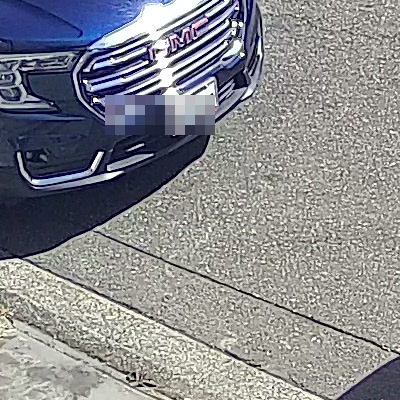
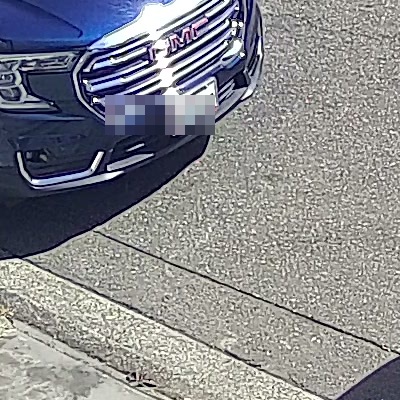
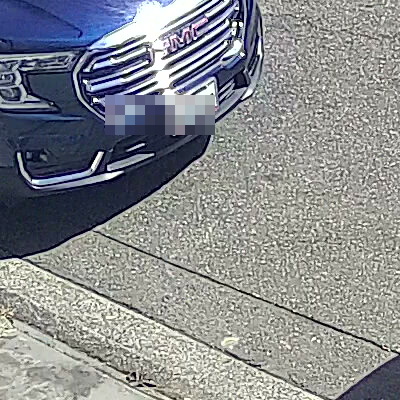
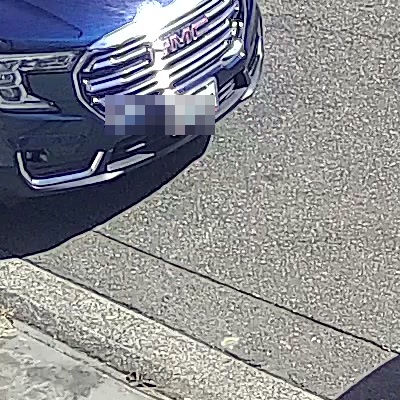
Side-by-side stills
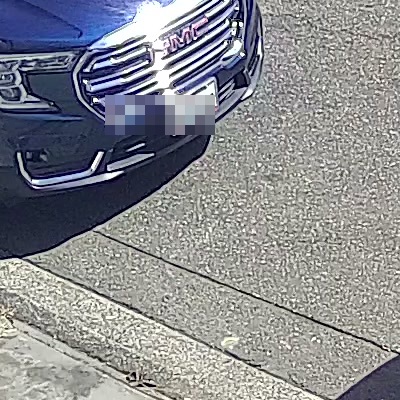
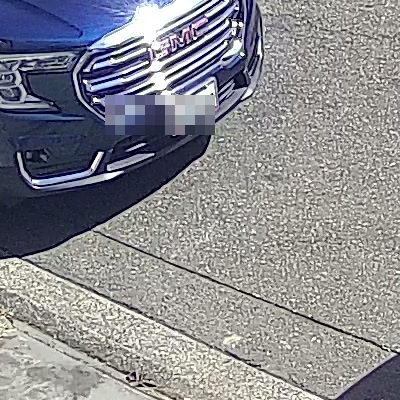
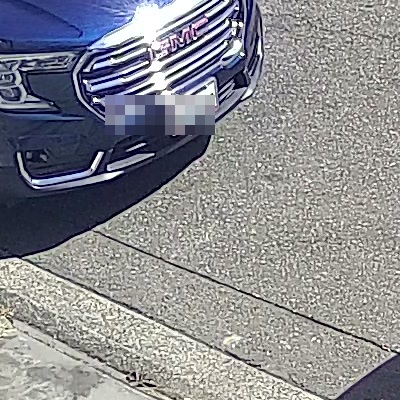
Visual comparison at three timestamps
Click any thumbnail for full-resolution 400×400 centre-crop. License plate is intentionally pixelated; otherwise the frames are unaltered. Same scene through each codec round-trip at , , .


Real-world fleet · pilot
Bytes per camera per week across the Puget Sound fleet (week of — )
A 7-day window across 4 trailers / 16 cameras. This is the codec + motion-only-archive layer together, as the trailers actually consume disk in the field.
| Site type | N cameras | Median GB / cam / wk | p25 – p75 | Mean motion density |
|---|---|---|---|---|
| Perimeter / secured yard | 4 | 442 | 379 – 510 | 29.5% |
| Warehouse / distribution | 8 | 2,453 | 1,447 – 3,418 | 44.0% |
| Retail / parking | 4 | 2,923 | 2,753 – 3,050 | 45.9% |
Method: trailer-level disk-allocation snapshot from the fleet's pre-allocated VDB config, allocated per camera by motion-minute share over the window. Buckets with fewer than 4 cameras (jobsite-construction, port-industrial, corporate-campus, off-grid-rural) omitted from the pilot — not zero-filled. This is the codec + motion-only-archive in production, not codec alone — the codec A/B above isolates the codec arm. Pilot sample — full N≥8 trailer roll-out scheduled later in 2026. See full methodology.
Camera, Power, and Construction
Camera infrastructure
- • Up to 4 cameras per trailer
- • PTZ, fixed, and 360° options
- • Infrared night vision on every camera
- • Bulk per-camera PTZ configuration
- • Adjustable electric/hydraulic mast
Power management
- • Solar panels with intelligent battery management
- • Optional gas backup generator for long cloud cover
- • Shore-power connection where available
- • Tuned for PNW winter daylight (worst case in lower 48)
- • Continuous operation in all weather
Physical security
- • Reinforced steel construction
- • Weatherproof enclosure (PNW year-round)
- • Hitch lock + wheel locks standard
- • Optional security boot
- • Tow-capable up to 70 mph
Remote access
Remote access — browser, desktop, and mobile
Open a browser. Log in. Watch the cameras. No VPN, no plugin, no installer — just HTTPS at the page level and WSS for the live stream, brokered by a multi-tenant cloud proxy. Prefer a thicker client? A native Windows desktop app covers the power-user workflow (deep config, analytics, multi-monitor playback), and native iOS / Android apps cover the on-the-go live + archive workflow with push alerts on top.
- Secure WebSocket proxy bridges your browser to the NVR over a single WSS connection.
- Cross-platform: Windows, macOS, Linux, ChromeOS, iOS Safari, Android Chrome.
- NVR stays behind your firewall — the proxy never exposes it directly to the internet.
- Multi-tenant SaaS architecture — a single proxy deployment serves many customer NVRs with strict per-tenant isolation.
- Frame-skip on bad networks: FDC drops to background-only frames at low bandwidth instead of failing the connection.
- Native Windows desktop app for the surveillance-center workflow: multi-monitor live view, archive playback & export, events / alarms tabs, and integration with the platform's vehicle, facial-recognition, and license-plate analytics — same FDC streaming protocol and encryption as the browser.
- Native iOS and Android apps deliver live view, calendar-based archive playback, PTZ control, multi-camera grids, an event/alert list, and clip export — multiple NVRs from one app, same FDC streaming protocol with military-grade end-to-end encryption. Both platforms were included in the constrained-link benchmark below.
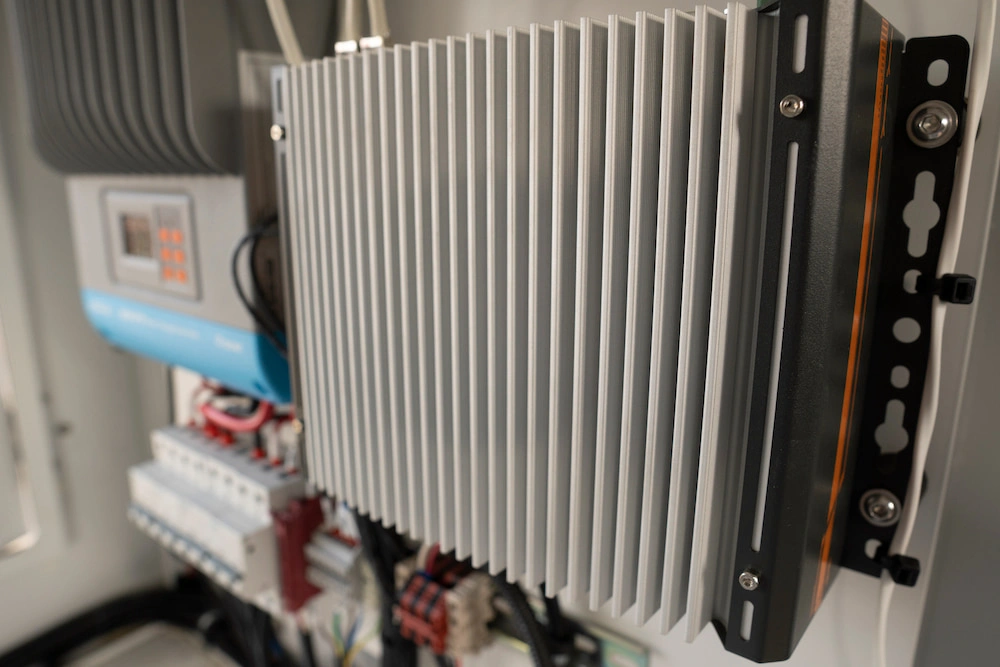
The on-board computer runs the FDC-encoded NVR; the cloud proxy makes it reachable from a browser or the iOS / Android apps from anywhere without VPN.
Measured · three viewers
Remote viewing on constrained networks ()
Browser (Chrome DevTools throttled) plus the iOS and Android native apps over a userspace TCP token-bucket proxy — same NVR, same cameras, same five tiers. Two cameras: a dynamic outdoor intersection (1920×1080) and a static outdoor parking scene (2560×1448) — FDC's wire cost tracks scene change, not resolution. Single-camera live view, 60-second steady-state measurement per tier.
| Tier | Chrome preset cap | Dynamic cam fps | Dynamic kbps | Static cam fps | Static kbps |
|---|---|---|---|---|---|
| A · Slow 3G | 500 / 500 kbps, +2000 ms | 1.0 | 3.8 | 0.4 | 1.8 |
| B · Fast 3G | 1600 / 750 kbps, +562 ms | 3.5 | 14.0 | 0.4 | 1.6 |
| C · Slow 4G | 1600 / 750 kbps, +150 ms | 2.8 | 11.0 | 0.2 | 0.7 |
| D · Fast 4G | 9000 / 9000 kbps, +170 ms | 11.4 | 45.5 | 7.7 | 30.5 |
| E · uncapped | no emulation | 14.8 | 139.0 | 9.9 | 140.2 |
Even on Slow 3G (~500 kbps + 2 s RTT), the dynamic intersection stayed at ~1 fps with every frame sharp and plates readable; the static scene rode every tier at 1 fps or below because the codec emits almost nothing when nothing changes.
Method: performance_start_trace over each (camera, tier) for 60 s after a 30 s settle; bytes/fps parsed from raw WebSocket events. Chrome's named throttle presets approximate the playbook's idealized caps. Synthetic throttle ≠ real cellular — real LTE/5G adds jitter and burstiness this method cannot reproduce. iOS and Android native-app sweeps measured similarly at tier A (both delivered ~2 fps at the 256 kbps cap); see full methodology for the per-platform breakdown.
Screenshots · what each tier looks like
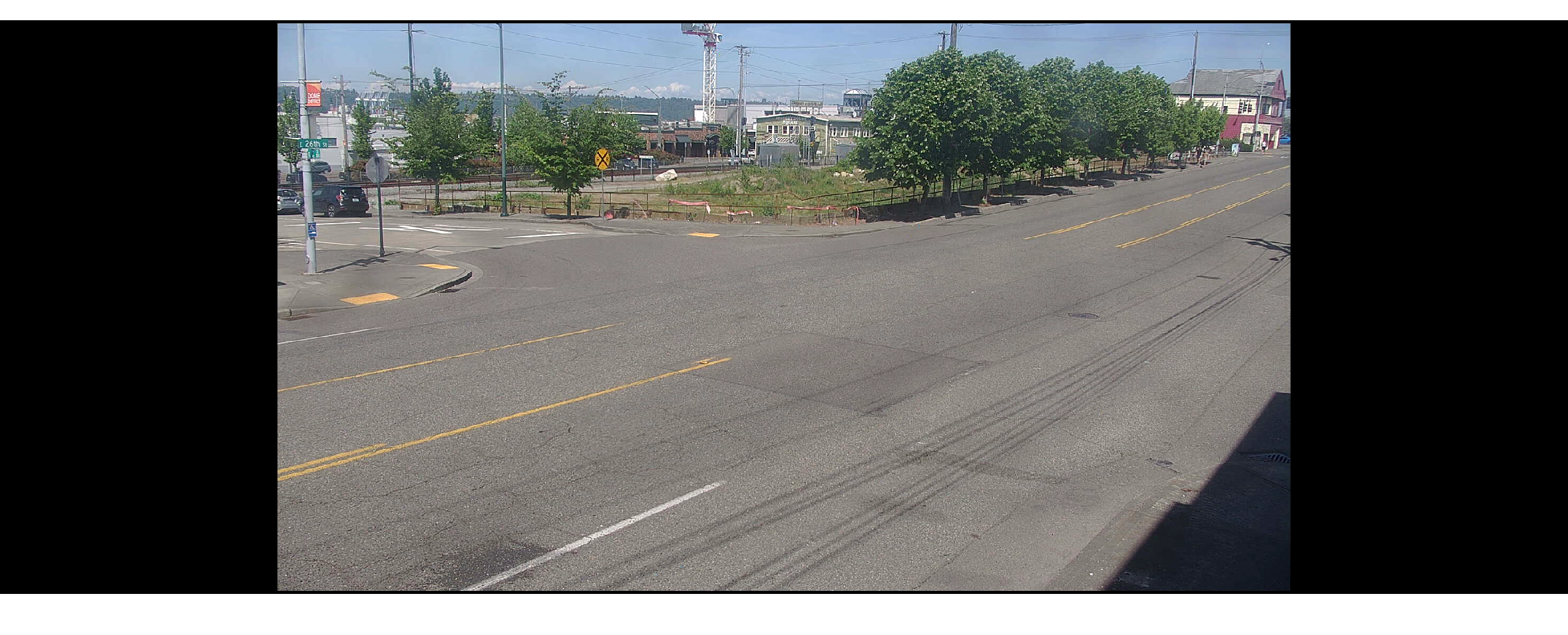
Dynamic · tier A
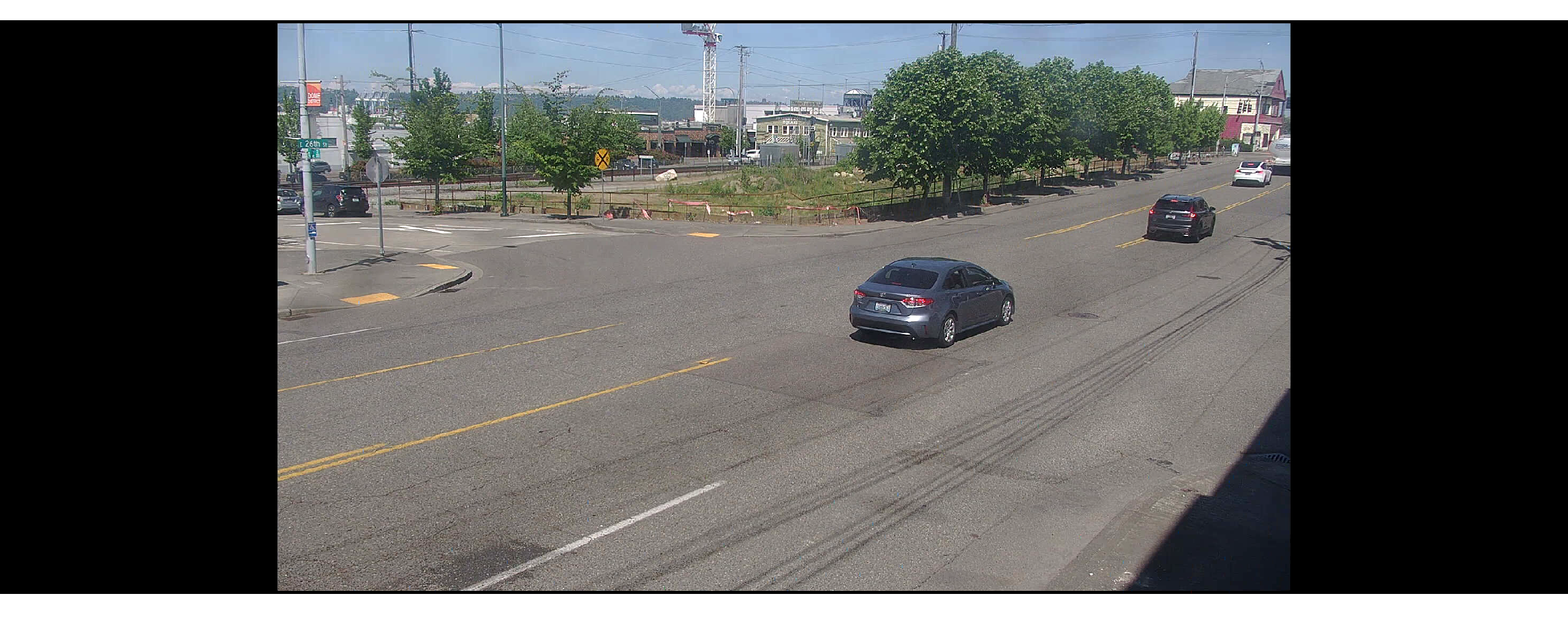
Dynamic · tier D
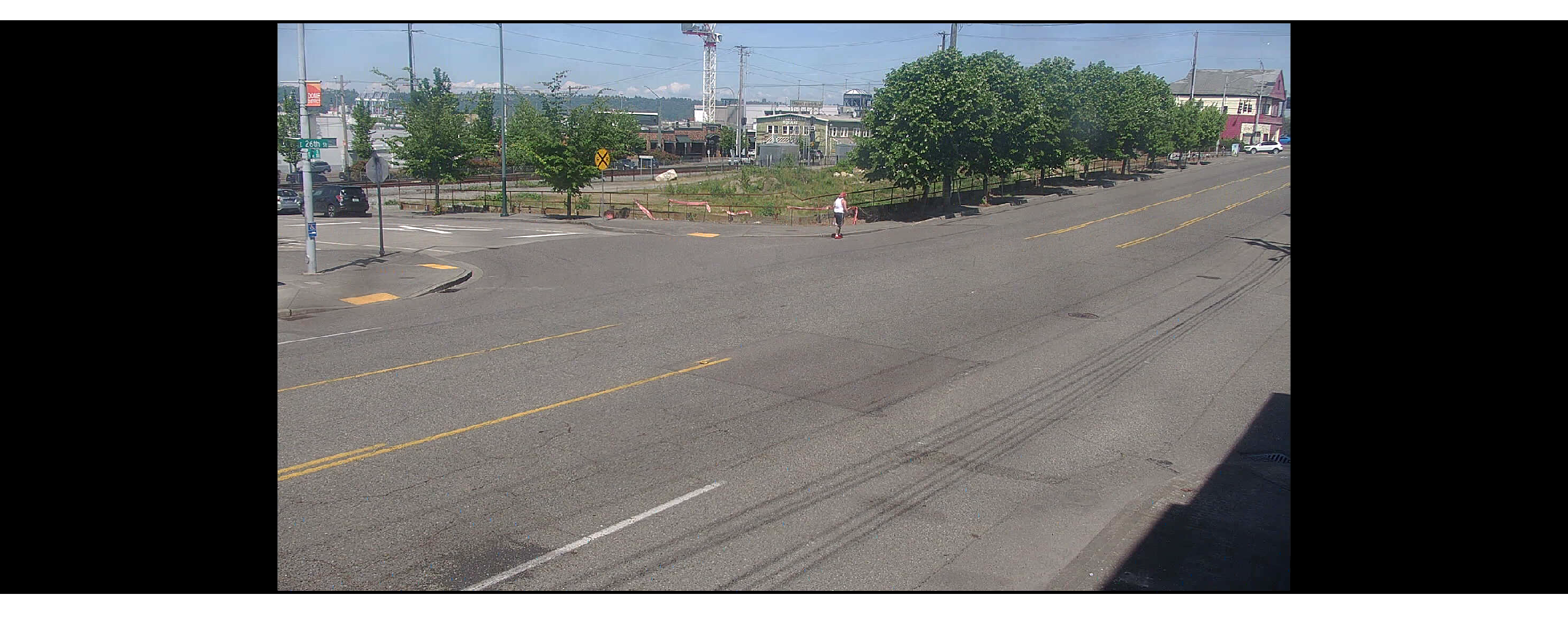
Dynamic · tier E
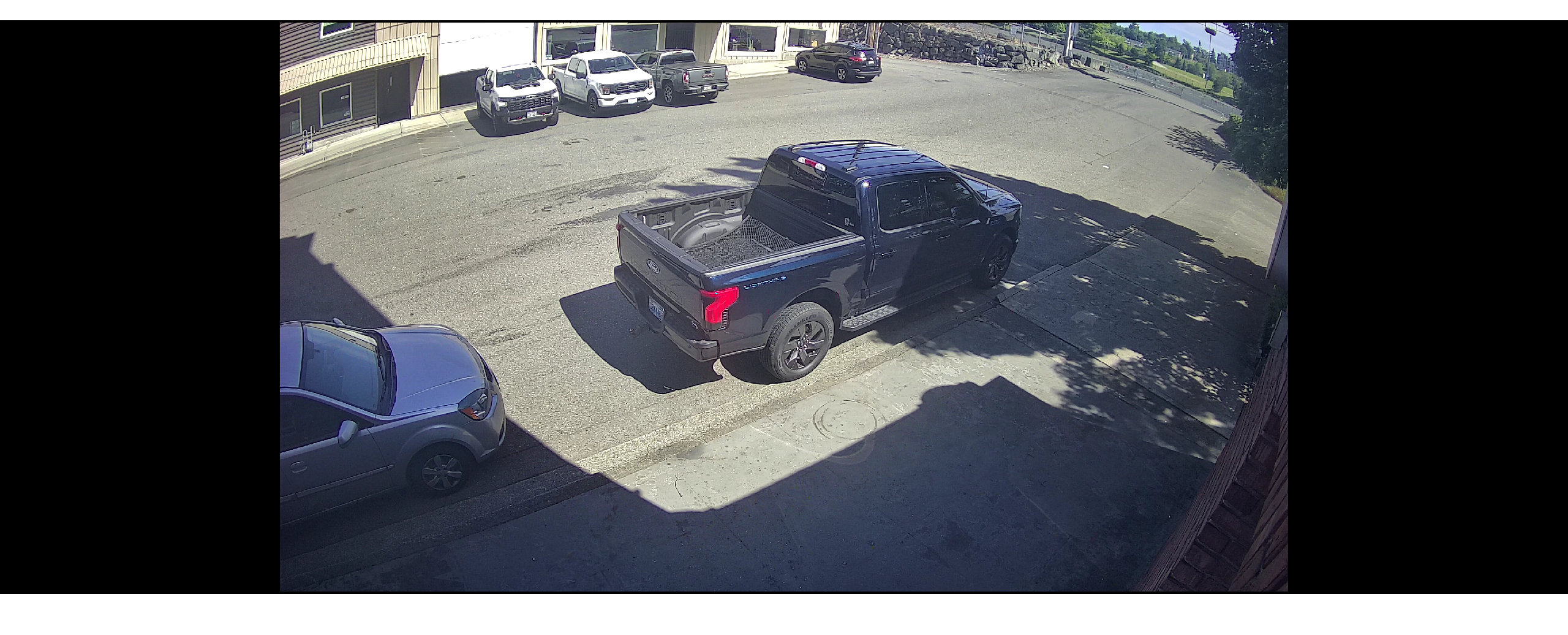
Static · tier A
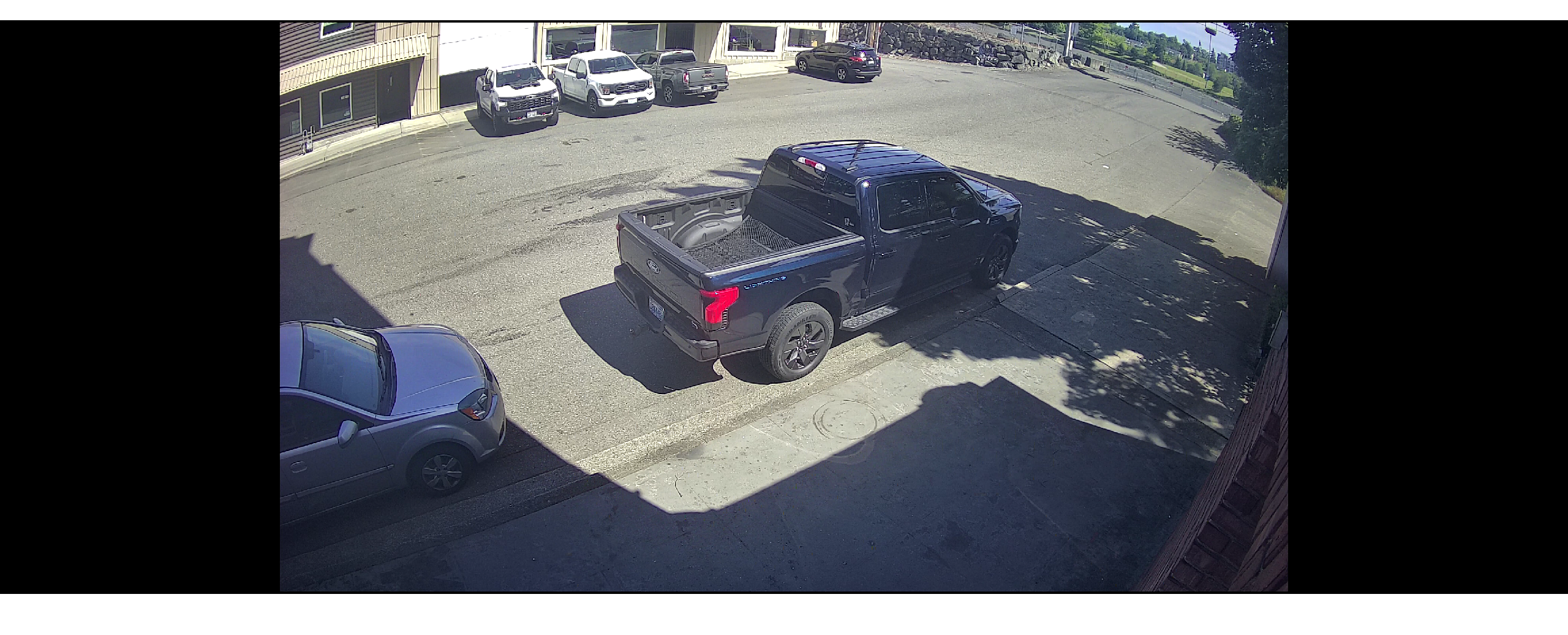
Static · tier E
Click any thumbnail for full resolution. Frames are unaltered — quality is consistent across every tier; only frame rate degrades on constrained links.
Measured uplink
What live remote viewing costs the trailer's LTE/5G uplink (, one Puget Sound camera, 2688×1520)
Sequential A-B-A-B captures at the camera's native resolution — same scene window, two delivery paths, wire bytes measured per consumer process.
| Delivery path | Mean kbps | GB / cam / 24h | Sample range |
|---|---|---|---|
| Direct camera RTSP (H.264) | 2,626 | 28.4 | ±0.4% across N=2 |
| FDC live via NVR (see codec) | 1,425 | 15.4 | ±19.2% across N=2 |
FDC delivery saved ~46% of uplink bytes vs direct RTSP for the same scene — about 13 GB / camera / day off the cellular link.
Method: two 120-second samples per path interleaved A-B-A-B, with per-process wire bytes measured via nettop. Both range_pct_of_mean figures fell within the bundle's 25% scene-drift threshold. The block-delta property that saves disk is what saves uplink — same codec mechanic. Note the S-VIDIA platform-wide up to 60% claim is for storage; the ~46% figure here is for live uplink. They are related (same codec property) but not interchangeable. Single-camera / single-window sample — multi-camera follow-up implied. See full methodology.
Computer vision
Object Detection & License Plate Reading
Beyond Vigil's vision-language model, the platform runs traditional detectors for objects and license plates — the right tool for the right detection.
Person & vehicle detection
- Class detector covers persons, cars, trucks, buses, motorcycles, bicycles, backpacks, handbags, and the rest of the standard COCO class set.
- Edge-first inference on the trailer — no per-frame cloud round-trip.
- Fused with Vigil: classical detections feed the VLM as a structured signal, so the natural-language alert can reference "two persons and a parked pickup" instead of guessing from pixels alone.
License plate recognition (LPR)
- WPOD plate detector locates plate regions inside the frame (rotation-tolerant).
- CTC OCR decoder extracts characters with per-character confidence scoring.
- Color-reversed plates supported: reads white-on-black, yellow-on-black, and other non-standard schemes — apportioned commercial trucks (interstate IRP), dealer plates, military plates, antique plates, and some out-of-state plates. Most off-the-shelf LPR systems only handle dark-on-light.
- OpenVINO runtime for accelerated inference on the trailer's on-board compute.
- Optional dedicated LPR camera with infrared-pass filter for after-dark plate capture.
Notifications
Multi-channel alert delivery
Every alert can fan out to four independent channels with independent thresholds, cooldowns, and per-camera overrides — tuned so important events reach a person fast without overflowing inboxes during noisy hours.
Apple Push Notification Service — iPhone, iPad, Apple Watch.
Firebase Cloud Messaging — Android phones and tablets.
Configurable cooldown (5 min default) and per-hour cap (10 default).
Webhook delivery to incident channels; high-severity events also post snapshots.
Per-camera, per-channel control
Default push threshold is severity 1 (Info). Default email threshold is severity 3 (Medium). Per-camera overrides let a noisy site mute its bottom two severity levels for 24 hours without affecting any other camera, and the Surveillance Agent re-evaluates those overrides on every cycle.
AI-native
Built for AI agents to query
The platform exposes a Model Context Protocol (MCP) server with 25 tools so AI agents and LLMs can search, sample, and reason about your camera archive directly — no scraping, no screenshots.
19 archive tools
Motion search with ROI and sensitivity tuning, snapshot at timestamp, snapshot-strip across windows, video export (MP4 with native frame rates), timeline coverage maps with 1-minute bucketing, event log filtering — everything an agent needs to assemble incident reports without a human in the loop.
6 live tools
Camera capability discovery, online-status queries, live snapshot pull, and capability-bit decoding — so an agent can ask "what cameras are online and what can each one do" before issuing a complex query.
Why this matters: if you give an LLM access to your security camera archive, you want a structured interface that respects authentication, rate limits, and bandwidth — not a screen-scrape over a desktop client. The MCP integration is also how Vigil itself fetches frames for cloud-LLM review, so it is battle-tested in production.
Also exposed: a JSON-RPC daemon over Unix socket for custom integrations, and a per-NVR session pool that survives reconnects without forcing the client to re-authenticate.
Optional Advanced Features
PA speaker
Two-way audio for warnings, announcements, and live-voice deterrence from a remote operator.
Radar detection
Detects motion beyond 400 ft — fires alerts before subjects reach camera range.
LED floodlights
Motion-activated illumination for visual deterrence and improved camera detail.
LPR camera
Dedicated plate-reading camera with IR-pass filter; feeds the WPOD + CTC OCR pipeline above. Reads both standard and color-reversed plates (white-on-black, yellow-on-black).
Detailed Technical Specifications
AI & Detection
| Alert layer: | Vigil (v0.13, May 2026) |
| Edge model: | Qwen3.5-9B 6-bit on Apple Silicon (MLX) |
| Cloud models: | Claude Sonnet, Gemini |
| Severity scale: | 0–5 (Routine → Critical) |
| Object detection: | YOLO 80-class |
| LPR: | WPOD detector + CTC OCR via OpenVINO |
| LPR color schemes: | Standard + reversed (white-on-black, yellow-on-black, etc.) |
Video & Codec
| Codec: | FDC (Flexible Delta Compression) |
| Storage vs H.264/H.265: | Up to 60% less (S-VIDIA published); see measured comparison |
| Quality: | No hardware compression, no resolution loss |
| Frame structure: | Separate frames (true frame-by-frame) |
| Delta unit: | 8×8-pixel block |
| Integrity: | Watermarked + encrypted at write |
| Camera compat: | Analog, HD IP, Ultra HD IP |
| Archive mode: | Motion-triggered (no continuous write) |
| Retention: | 2 weeks (FIFO loop); optional day cap |
Cameras
| Count: | Up to 4 per trailer |
| Types: | PTZ, fixed, 360°, LPR |
| Night vision: | Infrared on every camera |
| Coverage: | Full 360° capability |
| PTZ control: | Per-camera toggle + bulk edit |
| Mast: | Adjustable electric/hydraulic |
Remote Access & API
| Web viewer: | Any modern browser (HTTPS + WSS) — no install |
| Desktop app: | Windows (.NET) — multi-monitor live + playback, events / alarms, analytics integration |
| Mobile apps: | iOS + Android — live, archive, PTZ, multi-cam grids, clip export, push (APNs + FCM) |
| Proxy: | WebSocket cloud proxy |
| AI/agent API: | MCP server (25 tools) |
| Custom API: | JSON-RPC daemon (Unix socket) |
| Tenancy: | Multi-tenant SaaS architecture |
Connectivity
| Cellular: | 4G/5G |
| Wi-Fi: | Built-in |
| Satellite: | Starlink |
| Failover: | Automatic between transports |
| DDNS: | On-board updater service |
| Cert management: | Auto-renew + remote update |
Power & Construction
| Primary power: | Solar + battery |
| Backup power: | Gas generator (optional) |
| Shore power: | Available where utility access exists |
| Frame: | Reinforced steel |
| Weather rating: | Pacific Northwest year-round |
| Security: | Hitch lock, wheel locks, boot |
2026 Field-Tested Deployments
The specifications above aren’t theoretical — every system listed is validated against the conditions and site types our trailers are protecting across the Puget Sound right now.
Transit infrastructure
Sound Transit Light Rail jobsites
Federal Way Link and Tacoma Dome Link extensions stretch the radar-detection and PA-speaker specs — long linear sites with copper and high-voltage equipment in staging yards through 2026.
Corporate campus
Amazon Bellevue + Microsoft Redmond builds
Multi-tower jobsites with active crews on-site through 2026 validate the 360° PTZ coverage and 4G/5G connectivity specs — dense urban environments where Wi-Fi mesh and cellular backup matter.
Warehouse / distribution
Kent Valley distribution centers
The #4 U.S. warehouse district stresses license-plate-reader specs and 2-week storage capacity. Cargo theft along the I-5 corridor in 2025-2026 has pushed continuous-recording requirements harder.
Industrial
Tacoma tideflats & Paine Field
Port-adjacent industrial and aerospace sites validate the weatherproof construction spec — salt air, year-round rain, and unprotected staging through 2026 builds.
Military / naval
JBLM + Naval Base Kitsap perimeter
Federal construction projects stress the security-construction specs — reinforced steel, wheel locks, and tamper-resistant mounting matter when the trailer itself is a target.
Solar / off-grid
Rural and remote jobsites
PNW winter daylight is short. The solar + battery + generator power management spec is tuned for jobsites where shore power isn’t available and December cloud cover lasts weeks at a time.
For the full regional breakdown of 2026 Puget Sound construction by site type, see our Puget Sound construction boom map.
Frequently Asked Questions
Crisp, factual answers to the questions we hear most — from on-site operators and from AI agents researching the platform.
Do CCTV Trailer systems use AI for alerts?
What video codec do the trailers use?
How is FDC different from H.264 or H.265?
How does motion-only archive recording work?
Can I view cameras remotely without installing software?
Does the trailer detect license plates?
What objects can the AI recognize besides license plates?
How does the trailer connect to the internet?
How long does the trailer record before overwriting?
Can I get alerts in Slack or by email?
Is the platform usable by AI agents and LLMs?
How is power handled on remote sites?
Is the trailer weatherproof?
Can the AI alerts learn what is normal at a specific site?
What happens to false positives?
Does each alert track its own cost?
Where are the trailers actually deployed?
Are there published bandwidth or storage benchmarks?
How much storage does each camera actually use in practice?
Does remote viewing still work on bad cellular signal?
How much LTE/5G uplink does live remote viewing actually consume?
How a CCTV Trailer deployment works
From site walk to live AI-triaged monitoring — typically 24 to 72 hours end to end.
- 1
Site walk and quote
We map the protected area, identify camera placement, confirm line-of-sight, and document power and cellular signal. The result is a quote with recommended camera count, mast height, and optional features (PA speakers, radar, LPR, floodlights).
- 2
Trailer configuration
The trailer is provisioned with cameras, FDC codec settings, and connectivity. PTZ presets, motion sensitivity per camera, and per-camera Vigil escalation thresholds are pre-loaded for your site type (construction, warehouse, industrial, perimeter).
- 3
Same-day delivery and setup
We tow the trailer to your site, position it for optimal coverage, raise the mast, deploy the solar panels, and verify cellular signal across all transports (4G/5G primary, Starlink and Wi-Fi as fallback).
- 4
Account access and notification routing
Your team is granted plugin-free browser access, the native Windows desktop app, and the native iOS / Android apps. Notification channels are configured — Apple Push, Firebase, email, Slack — with severity thresholds and a per-camera overrideable cooldown.
- 5
Scene profile bootstrap
Over the first 24–72 hours, the Vigil Scene Profile Agent samples frames from each camera and builds a per-camera profile of normal activity. Once three consistent assessments are recorded, the profile goes live and silence rules begin to suppress routine patterns.
- 6
Live monitoring and response
Real-time alerts arrive through your configured channels. The Surveillance Agent autonomously triages low-severity recurring patterns. High-severity events (S3+) escalate to cloud-LLM visual review and your designated responders receive a notification with the AI-generated description and a snapshot.
Related Coverage
Regional map
2026 Puget Sound Construction Boom Map
Where the active 2026 builds are across Pierce, King, Snohomish, and Kitsap — with project markers and theft profile by site type.
Service
Construction Site Security
How these specs translate to on-site protection for jobsites across the Puget Sound — same-day deployment, perimeter coverage, staging-yard monitoring.
Technology
FDC video technology
Companion page going deeper on FDC (Flexible Delta Compression) — background/foreground separation, frame-by-frame recording, and how FDC integrates with Vigil AI inference.
Threat profile
Copper Theft at Construction Sites
Why the radar + PTZ + LED-floodlight specs matter for the worst year on record for jobsite copper theft in Washington.
Service area
Seattle Construction Security
SLU, downtown, Rainier Valley, Ballard, SODO — the densest crane concentration in the state.
Power
Solar-Powered Surveillance
How the solar + battery + generator stack keeps trailers running through PNW winter cloud cover.
Ready to secure your site?
Our security experts can map your site, recommend a configuration, and have a trailer deployed within 24–72 hours.
Looking to buy a security trailer? Here's why most Puget Sound contractors rent instead.
CCTV Trailer is a rental-only service — we don't sell equipment. But most of our customers were originally shopping to buy, and chose rental after seeing the math:
- Purchase: $20,000–$65,000 upfront + ongoing cell data, maintenance, PTZ calibration, NVR firmware, physical security, and 24/7 monitoring labor.
- Rental from $499/day or $3,499/week: unit, solar panels, cameras, cellular connectivity, monitoring platform, deployment, and retrieval — all included.
- Break-even usually lands past 12–18 months of continuous use. For jobsites, events, and seasonal deployments, rental almost always wins on total cost.
If you still want to purchase, industry vendors like WCCTV and Edge CCTV sell comparable units. For Puget Sound projects, we'd rather get a trailer deployed at your site today than have you wait 4–8 weeks for a purchase to ship.